CONTINUED....
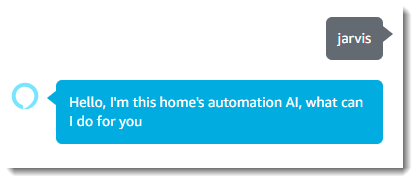
If you now talk to your Echo and start with "Alexa tell [INVOCATION_NAME]" an event should be triggered in VC with your command as payload1 and the name/location as payload2.
Note: If you don't want to trigger an event but instead pretend that you were speaking directly to VC, you can change line 89 of the script to: var VC_uri = '/api/VC.TellVox&&' + setActionURI; But you will then lose the name/location payload.
Note: At the moment the name/location payload can only be used, if you assign each Echo to a different Amazon Account, because all Echos of one account will have the same skills. Hopefully in the future Amazon will allow developers to get the Echo ID/name so we can make use of this feature.
An alternative is to create a command in VoxCommando that is triggered by your Echo event. In that command you can set a variable to remember which Echo was active and then call VC.Tellvox.
If you opted to use events then you'll need to add a command to VoxCommando that will translate these events into speech emulation (recognizing with text instead of sound).
Here is XML for the sample VoxCommando command:
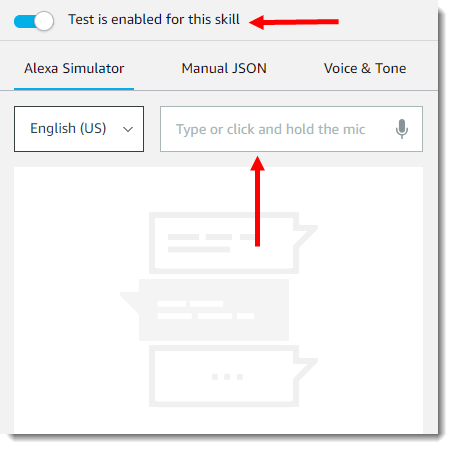
If you don't have an Echo device you can also test this method with echosim.io
Good Luck and Vox-On
If you now talk to your Echo and start with "Alexa tell [INVOCATION_NAME]" an event should be triggered in VC with your command as payload1 and the name/location as payload2.
Note: If you don't want to trigger an event but instead pretend that you were speaking directly to VC, you can change line 89 of the script to: var VC_uri = '/api/VC.TellVox&&' + setActionURI; But you will then lose the name/location payload.
Note: At the moment the name/location payload can only be used, if you assign each Echo to a different Amazon Account, because all Echos of one account will have the same skills. Hopefully in the future Amazon will allow developers to get the Echo ID/name so we can make use of this feature.
An alternative is to create a command in VoxCommando that is triggered by your Echo event. In that command you can set a variable to remember which Echo was active and then call VC.Tellvox.
If you opted to use events then you'll need to add a command to VoxCommando that will translate these events into speech emulation (recognizing with text instead of sound).
Here is XML for the sample VoxCommando command:
Code Select
<?xml version="1.0" encoding="utf-16"?>
<!--VoxCommando 2.2.3.2-->
<command id="38" name="event to voice command" enabled="true" alwaysOn="False" confirm="False" requiredConfidence="0" loop="False" loopDelay="0" loopMax="0" description="">
  <action>
    <cmdType>Results.SetVar</cmdType>
    <params>
      <param>LastEcho</param>
      <param>{2}</param>
    </params>
    <cmdRepeat>1</cmdRepeat>
  </action>
  <action>
    <cmdType>VC.TellVox</cmdType>
    <params>
      <param>{1}</param>
    </params>
    <cmdRepeat>1</cmdRepeat>
  </action>
  <event>EchoToVC</event>
</command>
If you don't have an Echo device you can also test this method with echosim.io
Good Luck and Vox-On







 when you are finished.



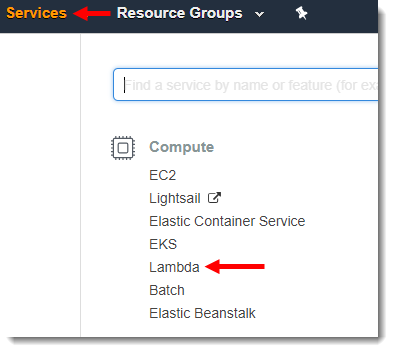
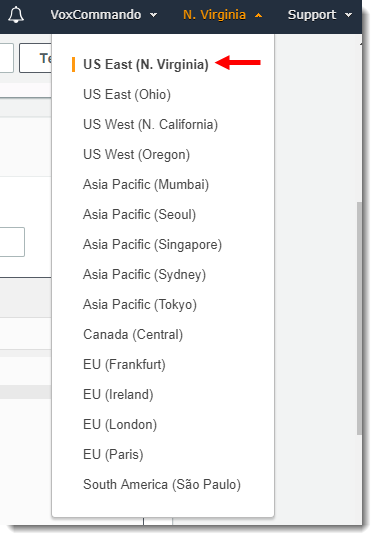

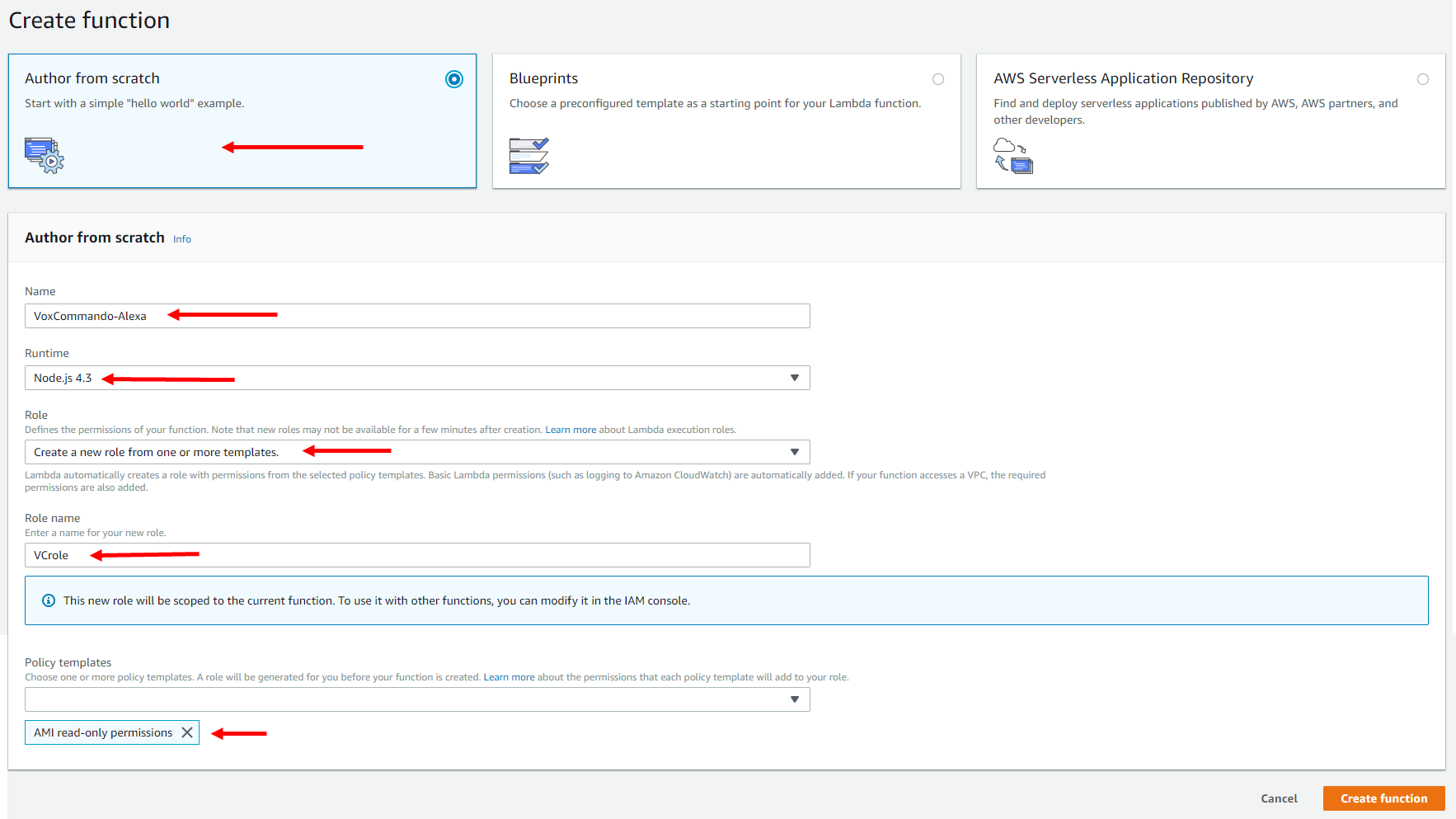
 [/img]
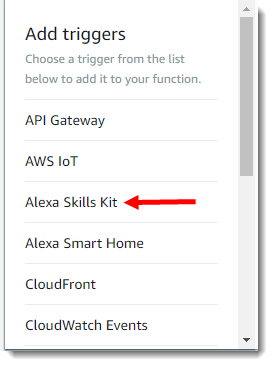




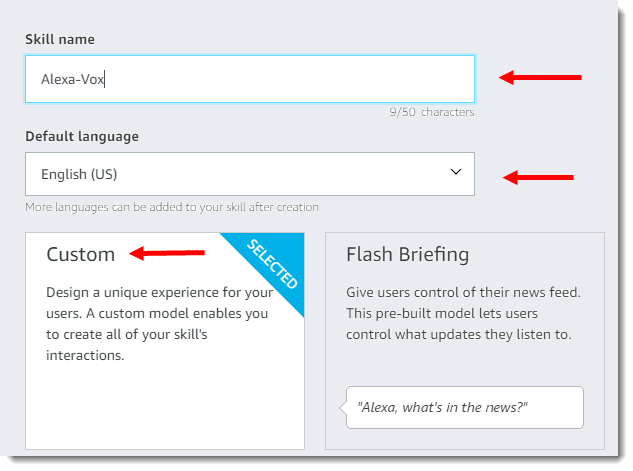
 to build your skill.